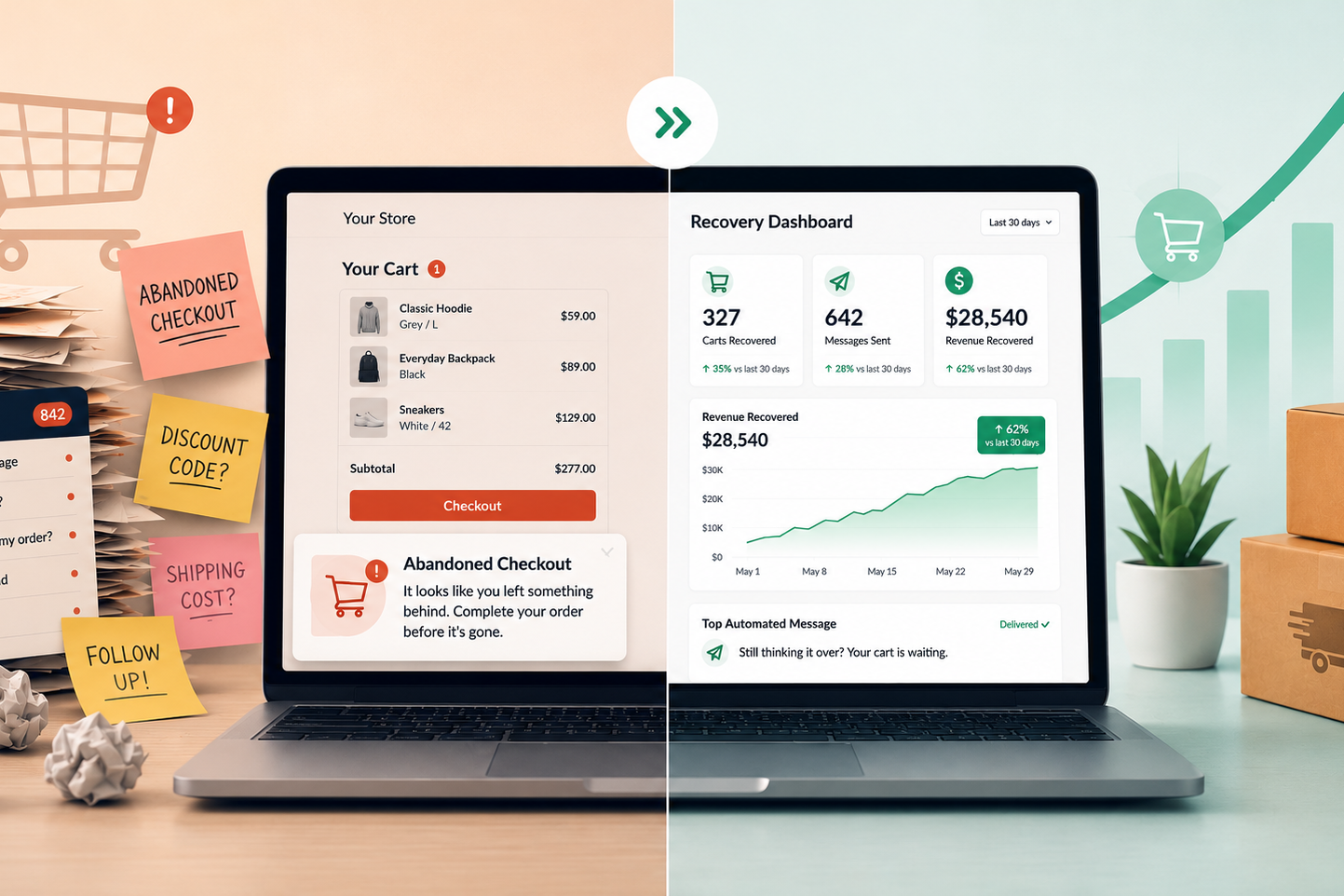



Somebody wants to buy from you at 11pm. They have one question — does this ship to their state, is the blue one in stock, can they return it if it doesn’t fit — and they cannot buy until they know the answer.
Nobody is awake. The question goes into an inbox, and by morning they have bought it somewhere else.
That is the problem a chatbot solves. Notice how narrow it is.
Why people hate these things
Say “AI chatbot” to most people and they picture the worst customer service experience of their year. A widget that will not let them reach a person, that answers a question they did not ask, that loops them back to an article they already read.
That reaction is earned, and it is not really about the technology.
It is about what the bot was put in front of. When a company has people available and installs a bot between you and them, that is a wall. Everyone can feel the difference between a company helping them and a company avoiding them.
At 11pm, there is no wall, because there was nobody behind it. The bot is not standing between the customer and a human: it is standing where nothing was.
Same technology, opposite experience, and the whole difference is what the bot replaced.
The question that sorts good from bad
Before building one, answer this: if the bot does not exist, what happens to this customer at this moment?
If the answer is “they reach a person,” you are building a wall. Every dollar you save is coming out of someone’s experience, and they will notice.
If the answer is “nothing happens, they leave,” you are adding coverage where there was none. Nobody is being deprived of anything, because the alternative was silence.
Most bad chatbot experiences come from businesses that answered that question honestly, did not like the answer, and built the thing anyway.
Two follow-ups sharpen it further.
Can the customer reach a human, and how fast? Every bot needs an exit. Not a phone number buried in a menu — a visible path out, taken as soon as someone asks for it or gets frustrated. When I designed an intake assistant for a nonprofit, we built an explicit escape path for families whose situation did not fit the options, because the ones who need a person most are exactly the ones a decision tree fails.
Does it complete anything, or does it only deflect? Telling someone where to find the shipping policy is deflection. Looking up whether you ship to their zip code, checking whether the item is in stock, and taking the order is service. The first one makes people angry. The second one makes them customers.
The measurement problem nobody talks about
Here is the part that decides whether a bot turns soulless, and it happens before anyone writes a line of it.
The moment you measure a chatbot on containment (tickets deflected, the share of conversations that never reached a human), you have guaranteed the version everyone hates. You have told the system that not reaching a person is the win, and everything downstream gets designed to make escape harder.
Measure it on questions actually answered, and on orders completed outside business hours, and the same technology gets built differently. The exit gets easier to find, because a customer who needed a human and got one is a success rather than a failure.
The number you judge a bot by does more to make it feel corporate than its design does.
What a real one has to be able to do
A bot that answers from a static FAQ is a search box with a personality. It will disappoint everyone, and it is most of what gets sold.
A useful one reaches live data. For an e-commerce business, that means the actual catalogue, real stock levels, real shipping rules for the customer’s actual location. I built one for Alier, a Mexican online retailer, that handles product questions on WhatsApp overnight and checks coverage by postal code before promising anything, because a promise the business cannot keep is worse than no answer.
It also has to know what it does not know. A bot that invents a shipping date is generating a complaint with a delay built in. Refusing to answer and handing off is the correct behavior, and it has to be designed in deliberately.
That is the difference between the version that works and the version people complain about online, and it comes from the plumbing behind the bot rather than the model.
A real example: Alier
Alier, a Mexican online retailer, answered WhatsApp only during office hours. Everything that arrived at night or over the weekend waited until Monday, and catching up every Monday took the team 2.5 to 3 hours. In the first four months with the assistant:
- 88% of the conversations it handled began outside office hours (37 of 42).
- 28 seconds median first reply outside office hours.
- 22 sales worth MXN 23,138 that the assistant took part in directly.
- 8 sales carried from the first question to the payment receipt, all outside office hours.
One Sunday at noon, a customer asked about prices. The assistant replied in 28 seconds, explained sizes and absorbency, quoted the first-order discount and shipping to her postal code, shared the bank details, received the payment receipt and took the delivery address. The whole order closed in 25 minutes, with nobody on the team working. See every number, with its source, in the Alier case study.
What it costs
There are two costs: a one-time setup and a monthly plan based on how many conversations the assistant handles. These are our prices, in US dollars, before taxes.
Setup (one time)
| Package | What’s included | Price |
|---|---|---|
| Starter | Official WhatsApp connection and help with Meta verification; assistant trained on your website and up to 30 FAQs; questions to qualify customers; handoff to a person and after-hours replies; 2 weeks of adjustments | $499 |
| Complete | Everything in Starter, plus a catalog of up to 200 products, lead qualification and quote capture, follow-ups with Meta-approved templates, 30 days of adjustments and training for your team | $999 |
| Custom | Integrations with Odoo or another CRM, booking or inventory; multiple departments or assistants | from $1,999 |
With a 6-month commitment, setup is 50% off.
Monthly plan
| Plan | Conversations the assistant handles per month | Price |
|---|---|---|
| Basic | up to 200 | $149 |
| Growth | up to 500 | $249 |
| Pro | up to 1,000 | $399 |
| Custom | over 1,000 | quote |
Only conversations the assistant handles count; chats your team answers don’t. A conversation is one customer’s chat within 24 hours. You get a heads-up at 80% of your plan, and nothing over the plan is ever charged without your approval. The monthly plan includes monitoring, answer adjustments and support.
WhatsApp messages are billed separately, by Meta. If your assistant runs on WhatsApp, Meta bills the messages directly to your business’s WhatsApp account, not through us. Each business number gets its first 1,000 service messages free every month; after that, Meta charges per message at the rate for your country. These are Meta’s current terms and can change, so check Meta’s pricing for the latest. A widget on your own website doesn’t have that cost.
An example: a business that starts with the Starter package and the Basic plan, on a 6-month commitment, pays $249.50 upfront and $149 a month.
The better way to judge those numbers is against what the bot brings back: the hours your team stops spending on repeat questions, and the sales that now close at 11pm instead of going to a competitor. If it can’t plausibly earn back its monthly cost, it isn’t worth building.
Two things decide which package you need. The channel matters: a widget on your own site is straightforward, and messaging platforms like WhatsApp bring business verification and message template approval, which is more waiting than work but it is real. And whether the bot only answers or also transacts (booking, quoting, checking coverage), which is the difference between reading and doing.
The tuning line is the one people skip. A bot is not finished at launch, it is finished after a month of real customers asking things you did not anticipate. Budgeting zero for that is how you end up with the bot everyone complains about.
When not to build one
If you have people available during the hours your customers ask questions, and they answer promptly, do not build this. You would be putting a wall where there is currently a person, and your customers will like you less for it.
If your question volume is low, do not build this either. Ten questions a week is a person’s job for twenty minutes a day, and no arrangement of the numbers above makes that worth the setup and the monthly cost.
If the honest reason you want one is that responding to customers is annoying, that is worth sitting with. A bot built from that motive tends to produce exactly the experience the motive implies, and customers are better at detecting it than most owners expect.
And if your product needs a real conversation to sell — high value, high consideration, lots of variables — a bot is not going to have it. It can qualify and hand off. It should not be closing.
What to check before you build anything
Pull your customer messages from the last month and sort them by the hour they arrived. Count how many landed outside the hours anyone was working.
Then read them and mark which ones a bot could have actually resolved with access to your real data, not just pointed at a page.
That second number is what you would be buying. If it is small, the answer is no, and you have saved yourself the setup cost and a chatbot your customers resent.
For other ways to fix the same problem, see these business process automation examples.
Ready to see how a chatbot can help your business? Book a free Workflow Review and let’s map out where we could help.
Related Posts

November 17, 2026
WhatsApp Business Auto Reply: How to Set It Up (and Where It Falls Short)
How to set up the WhatsApp Business greeting and away messages, examples to…